Over the past few weeks, we’ve been working on making MevaSearch answer more of your questions right away, without making you click through ten different links. We’ve added information about cities and countries, a new homepage with weather, currency rates, and news, plus a range of interface improvements. Here’s what’s changed.
Wikipedia in the Sidebar
On desktop, the Wikipedia card is now a sidebar next to the search results instead of a floating window. The panel has its own scrolling, so you can read the description while browsing the results at the same time. On mobile, the card still slides up from the bottom of the screen, just like before.
The panel only appears in the Web tab. It won’t cover your results in Images, Videos, or News. We’ve also improved how we understand what you’re searching for. For example, typing “krakow” without Polish characters will now take you straight to the correct article.
Place Information
Search for the name of a city, town, village, or country, and you’ll now see more than just a Wikipedia description.
Cities and towns:
- Photos of interesting places, such as town halls, churches, or fortresses. We source these from Wikivoyage travel guides, specifically from the “See” sections.
- Current weather, including the feels-like temperature and today’s temperature range.
- Local time, including the time difference from your location.
- “Nearby”: nearby towns and places worth visiting.
Countries:
- Flag, map, and coat of arms.
- Weather and local time in the capital.
- Currency exchange rate converted to your currency, for example, “1 EUR = PLN 4.38”.
- Neighboring countries.
Clicking a photo immediately searches for that place, for example, “Church of the Assumption of the Blessed Virgin Mary, Chełmno.” Clicking a place in the “Nearby” list searches for that location.
Photos come from Wikimedia Commons. You can view the author and license information by clicking the i icon in the corner of a photo.
Don’t want this information? You can turn it off in Settings using the “Place Information” option.
A New Homepage
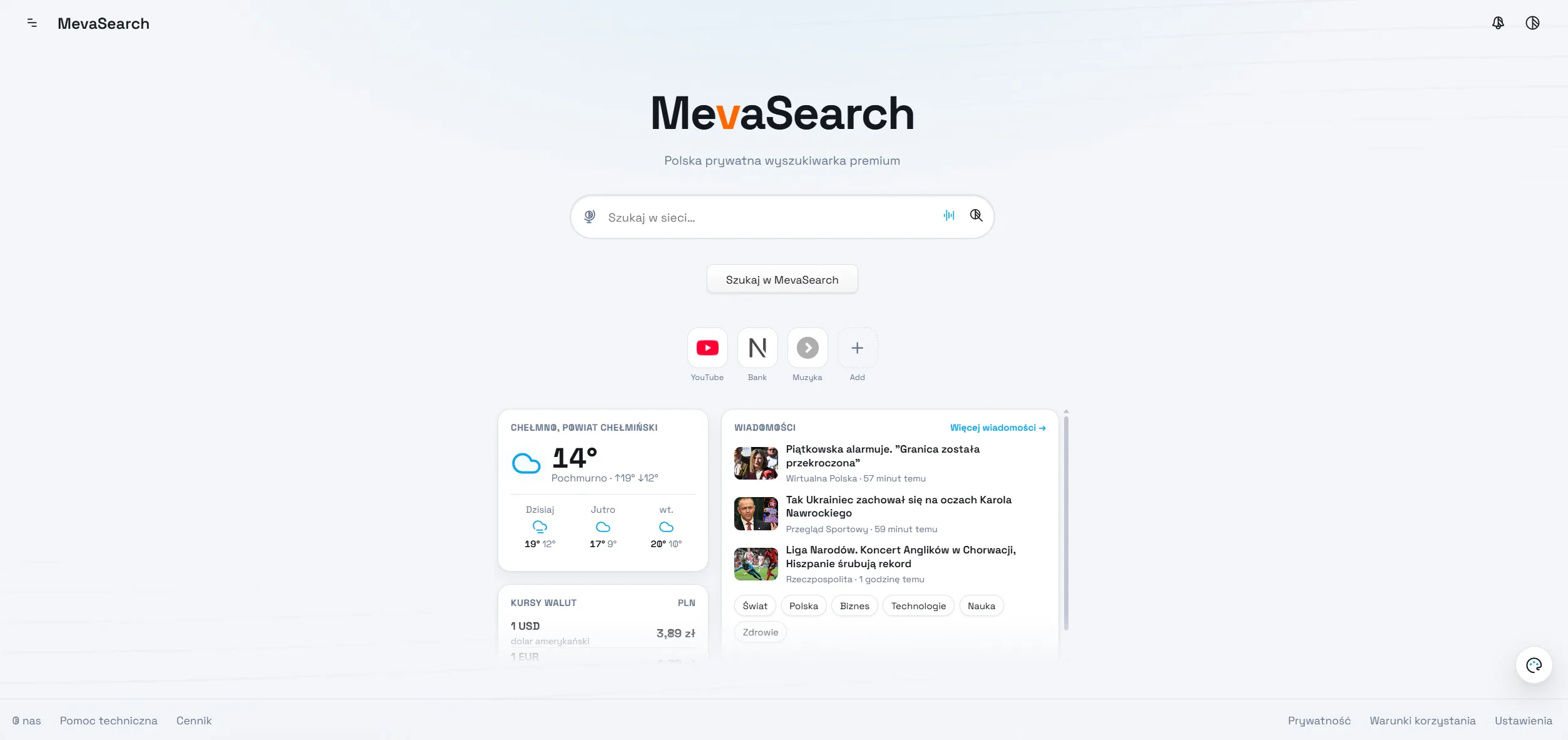
The homepage can now display three new cards. All three are disabled by default. MevaSearch still starts with a clean search page, and you can enable the cards in Settings under the homepage section.
- Weather: current conditions and a 3-day forecast for your town or city. If multiple places share the same name, add a postal code, for example, “Nowa Wieś 86-253”, and we’ll identify the right one.
- Currency Rates: choose which currencies you want to see (USD and EUR by default), and we’ll convert them to your currency. Low-value currencies are displayed like they would be at an exchange office, for example, “100 CZK = PLN 17.91”.
- News: the latest headlines from MevaSearch News, with thumbnails and category shortcuts. Articles behind a paywall are marked with a lock icon.
News from Your Selected Region
We’ve moved to a new version of MevaSearch News. News now follows your app language by default, but you can also manually select an edition using the “News Region” setting.
Available editions include the United States, United Kingdom, Canada, Poland, Germany, Czechia, Spain, France, Finland, Norway, South Korea, and Japan.
The setting applies both to the homepage and to the news cards that appear when you search for “news”.
Orbitarium Design, Even More Refined
If you use the Orbitarium Design theme, the new homepage cards now have its signature look: a subtle sheen, soft shadows, and raised category buttons.
With animations enabled, the cards smoothly spring onto the screen, while articles and currency rates appear one after another. We’ve also fixed a misaligned toggle in Settings.
What About Privacy?
No changes, just the way we like it.
Weather data, currency rates, place searches, and news are fetched by MevaSearch’s servers. The providers of these services do not receive your IP address or know what you’re searching for.
We use open sources including Wikipedia, Wikivoyage, Wikimedia Commons, Open-Meteo, and OpenStreetMap.
The new homepage cards remain disabled until you choose to enable them yourself.